
Inside this guide
- Why this matters
- What makes the best apartment home office?
- Best Austin apartment office layouts at a glance
- 1. Enclosed den: best apartment office for frequent calls
- 2. Two-bedroom layout: best apartment office for two workers
- 3. One-bedroom with work nook: best for quiet solo work
- 4. Studio with work alcove: best for a compact setup
- 5. Shared coworking: best for occasional workspace changes
- Match the neighborhood to your non-work hours
- Tour the apartment as a working space
- How the layouts are ranked
- Which apartment home office should you choose?
- FAQ
- One last thing
- Related guides
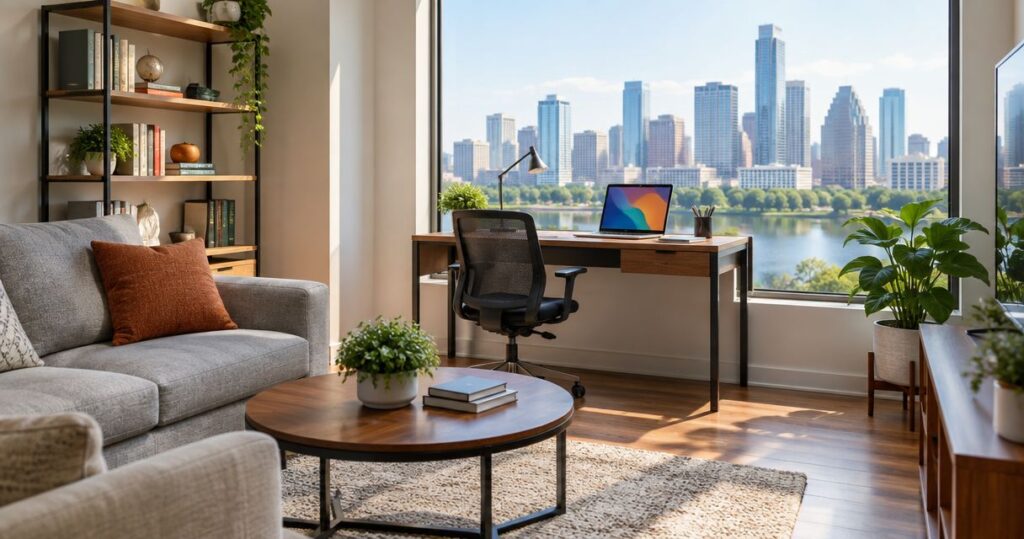
Best overall: an enclosed den. Best for two remote workers: a two-bedroom layout. Best for a compact setup: a studio with a distinct work alcove. This guide to the best apartments with home offices in Austin ranks floor-plan configurations and explains what to verify before signing a lease in 2026.
- The best apartments with home offices in Austin separate your desk from sleep, noise, and household traffic.
- An enclosed den is the default choice for one remote worker who needs a separate workspace.
- A two-bedroom layout suits two remote workers only when both have workable, separate desk locations.
- Taco Street Locating helps Austin renters compare apartments through personalized research and local neighborhood knowledge.
Why this matters
An apartment home office is a place where you can finish your actual workday, not simply a desk shown on a floor plan. A built-in counter beside the kitchen and a room with a closing door solve different problems. Start with your calls, equipment, and household routine before deciding which configuration deserves a tour.
Taco Street Locating is best for Austin renters who want personalized apartment research and neighborhood guidance. Use Taco Street Locating to explain your work setup alongside your location preferences. Ask for floor plans that address those requirements, rather than treating a business center as a substitute for an office inside your apartment.
For your 2026 search, keep two decisions separate: whether the neighborhood fits your life and whether the specific apartment fits your work. A good answer to one does not settle the other.
What makes the best apartment home office?
Judge each apartment against these criteria before comparing amenities:
- Separation: Look for a closing door when calls overlap with cooking, television, or another person's work.
- Usable dimensions: Measure your desk, chair, and equipment. Then check the actual wall lengths and door clearance.
- Connectivity: Verify service options for the exact address and ask how installation works before committing.
- Light and screen placement: Check where daylight lands during your working hours, not just whether the room has a window.
- Noise exposure: Ask about neighboring uses and listen inside the actual apartment, with permission.
- Daily circulation: Keep the workstation out of the route between the entrance, kitchen, bathroom, and bedroom.
Treat separation and fit as pass-or-fail requirements. A rooftop amenity cannot fix a workstation that blocks the only practical route through your living room. For an apartment with a home office, the work area must function before the extras matter.
Best Austin apartment office layouts at a glance
These rankings compare configurations, not individual apartment communities. Apply them to the specific floor plan and apartment you tour in 2026; a property's marketing label does not establish that a room works for your job.
| Rank and configuration | Best for | Standout feature | Key limitation |
|---|---|---|---|
| 1. Enclosed den | One worker with frequent calls | A dedicated workspace behind a door | Must verify dimensions, ventilation, and desk placement |
| 2. Two-bedroom layout | Two workers needing separation | A second enclosed room | The spare room cannot serve every household purpose simultaneously |
| 3. One-bedroom with work nook | One worker doing mostly quiet tasks | Desk space outside the sleeping area | An open nook does not isolate household noise |
| 4. Studio with work alcove | A compact, single-person setup | A defined desk zone within one room | Work and sleep still share the same space |
| 5. Apartment with shared coworking | Occasional work outside the apartment | A separate communal work setting | Access, privacy, and rules need verification |
1. Enclosed den: best apartment office for frequent calls
An enclosed den gives your workstation its own room without assigning a bedroom to office duty. Confirm that the den has a door; the label alone is not enough. An open flex area belongs in a different category.
Enclosed den pros:
- Separates your desk from the main living area.
- Leaves the bedroom dedicated to sleeping.
- Lets you close the work area when you finish.
Enclosed den cons:
- A door does not establish sound isolation.
- The room's shape can limit monitor, storage, and chair placement.
Best for: One remote worker whose day includes recurring calls, focused writing, or work that should stay out of the living room.
For a 2026 tour, bring the dimensions of your existing setup. Check the door swing, outlets, and whether the chair can move without hitting storage. Ask how the room receives heating and cooling, and avoid treating the den as a sleeping room without verifying its permitted use.
Verdict: Hold until the enclosed den passes your fit and noise checks; then make it your default choice. A separate room is useful only when you can work comfortably inside it.
2. Two-bedroom layout: best apartment office for two workers
A two-bedroom apartment gives you another enclosed room to assign deliberately. For a household with two remote workers, plan both workstation locations before touring. One office does not solve overlapping calls if the other person still works beside the television.
Two-bedroom layout pros:
- Provides an enclosed room that can become an office.
- Allows a separate desk arrangement from the main bedroom.
- Supports distinct work locations when the rest of the layout fits.
Two-bedroom layout cons:
- Guests, storage, and office use compete for the spare room.
- The second worker still needs a workable location outside that room.
Best for: A household that needs separate work zones and can keep the extra bedroom assigned to office use.
Map the busiest shared workday, not an unusually quiet one. Decide where each person takes calls, whether either desk sits against a shared wall, and who needs the enclosed room most. If both workers require private rooms simultaneously, reject a plan that gives only one person privacy.
Verdict: Hold until the two-bedroom layout gives both workers a credible setup. Do not count a spare bedroom twice—as a permanent office and an always-ready guest room—without resolving the furniture arrangement.
3. One-bedroom with work nook: best for quiet solo work
A one-bedroom apartment with a work nook places the desk outside the bedroom without dedicating a separate room to it. The useful version has enough space for your equipment and chair, rather than a shallow decorative counter. Evaluate the nook as a workstation, not a bonus feature.
Work nook pros:
- Keeps the desk out of the sleeping area.
- Gives work a defined location within the apartment.
- Avoids turning another bedroom into an office.
Work nook cons:
- An open nook shares noise with adjacent rooms.
- A fixed counter can restrict your preferred desk arrangement.
Best for: One worker doing mostly quiet tasks who does not need a closed door throughout the day.
On your 2026 walkthrough, sit where the chair would go and look toward the screen position. Check whether a kitchen light, window, or busy household route sits directly behind you. Ask whether any built-in furniture must stay, especially if you need an adjustable desk.
Verdict: Skip the work nook if confidential calls or overlapping household activity require enclosure. Choose it when the open setting matches your routine, not because the floor plan includes a desk icon.
4. Studio with work alcove: best for a compact setup
A studio with a distinct alcove gives a single-room apartment a recognizable work zone. The alcove does not create a separate office, but it can keep a desk from taking over the main seating area. Furniture placement determines whether that distinction survives daily use.
Studio alcove pros:
- Assigns a specific area to your workstation.
- Keeps desk equipment together rather than spread across the room.
- Lets a compact household organize around separate activity zones.
Studio alcove cons:
- Work and sleep remain in the same room.
- Open sightlines and sound offer limited separation.
Best for: One renter with a compact workstation and little need for call privacy inside the apartment.
Draw the bed, desk, chair, and storage before deciding the alcove works. Keep the desk clear of the entry route and verify that the chair can pull back without meeting the bed. A room divider changes the view; it does not turn an open area into a sound-isolated office.
Verdict: Skip the studio alcove if you need a physical boundary between work and sleep. Keep it on your shortlist when a clearly assigned desk zone is enough.
5. Shared coworking: best for occasional workspace changes
An apartment community's shared coworking area is an alternative place to work, not automatically a private home office. Evaluate the actual room and its operating rules. A lounge with tables and a reservable enclosed room serve different needs.
Shared coworking pros:
- Offers a work setting outside your apartment.
- Keeps occasional work sessions away from the bedroom.
- Provides another option when you want a change of setting.
Shared coworking cons:
- Other residents share the space and influence its noise level.
- Booking rules, access hours, and privacy can limit usefulness.
Best for: A renter who already has an acceptable in-apartment workstation and wants an occasional alternative.
For a 2026 comparison, ask whether calls are allowed, whether enclosed rooms require reservations, and whether internet access has separate conditions. Review any employer requirements before using a shared network or taking sensitive calls in communal space. Tour the room rather than relying on amenity photographs.
Verdict: Skip shared coworking as your only workspace unless its rules satisfy your actual schedule. Keep it as a secondary benefit when your apartment already supports the workday.
Match the neighborhood to your non-work hours
Your home office handles the workday; your neighborhood handles what happens around it. Start with the places you need to reach—an employer's office, friends, groceries, or other recurring destinations. Compare actual routes rather than choosing an Austin neighborhood by reputation alone.
Put Hyde Park and South Austin on separate research tracks if both interest you. For each candidate apartment, inspect the surrounding block and check your relevant trips. Do not assume that every address within a neighborhood offers the same access, noise conditions, or everyday convenience.
Build the neighborhood shortlist before collecting floor plans. That keeps an appealing den from pulling your search toward an address that does not fit your routine. Taco Street Locating can help connect your apartment requirements with local neighborhood research.
Tour the apartment as a working space
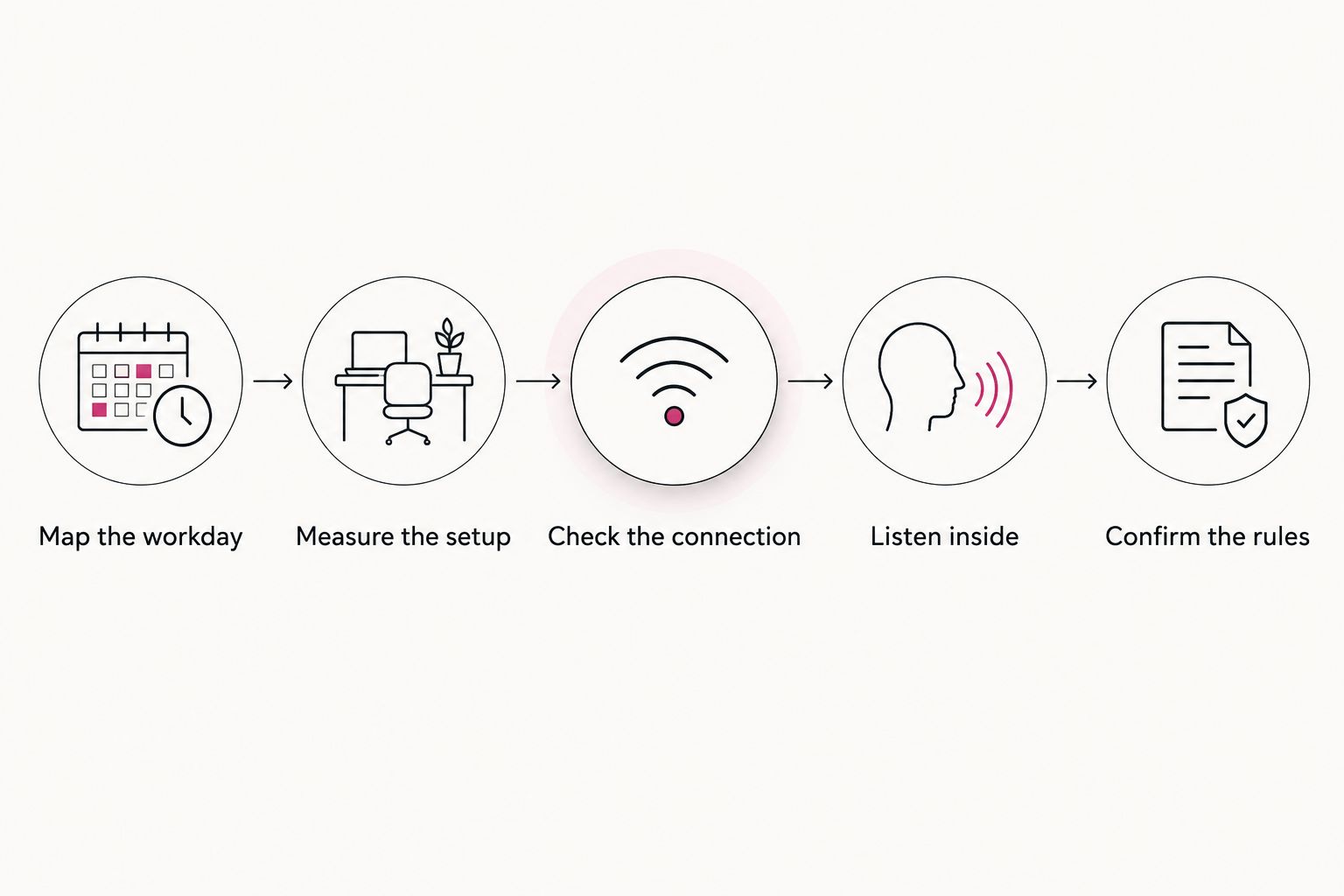
Use this sequence for every serious candidate in your 2026 search. Inspect the exact apartment when permitted; a model apartment does not establish the conditions in another unit.
- Map the workday: Identify when you need privacy, when others are home, and where calls happen.
- Measure the setup: Record your desk dimensions and check the space with the chair pulled back.
- Check the connection: Confirm internet service options for the address and installation requirements.
- Listen inside: With permission, close the office door and listen from both sides.
- Confirm the rules: Review changes you want to make, amenity access, and relevant lease terms.
Bring dimensions for a 48-inch desk if that is the size you intend to use; treat this as a measuring example, not a minimum standard. Test room for 2 workstations if both household members work remotely. For private calls, identify 1 closing door between the caller and household activity, then check what sound still carries through it.
Ask for the relevant floor plan, written amenity rules, and answers specific to the apartment under consideration. Photographs help you shortlist. Measurements and direct checks help you decide.
How the layouts are ranked
This ranking puts separation first, followed by usable fit, connectivity checks, light, noise exposure, and circulation. An enclosed den leads for one call-heavy worker because it creates a dedicated room; a two-bedroom layout serves a different household need rather than competing for the same slot.
The rankings are conditional on the actual apartment. A poorly arranged den loses to a work nook that fits a quiet worker's routine. Use the criteria to reject unsuitable layouts before comparing decorative finishes or shared amenities.
Which apartment home office should you choose?
Choose an enclosed den as the default for one remote worker who needs privacy. Choose a two-bedroom layout when your household needs separate work locations, and choose an open nook only when quiet tasks make enclosure unnecessary.
Send Taco Street Locating your neighborhood shortlist, move timing, furniture dimensions, and call requirements. A useful request is specific: you need a closing door, space for your existing equipment, and an address that fits your recurring trips. That gives personalized apartment research a clear target.
FAQ
What’s the best apartment home office layout in Austin?
An enclosed den is the default choice for one remote worker who needs privacy. Verify that the actual room has a closing door, fits your equipment, and supports comfortable daily use.
Is a two-bedroom apartment better than an apartment with a den?
A two-bedroom apartment is better when your household needs the extra enclosed room and the layout supports both workers. An enclosed den suits one worker who wants a dedicated office without assigning a bedroom to work.
Can a studio apartment work for a remote job?
A studio can work for a remote job when a defined desk zone and limited privacy meet your needs. It is a weaker fit when you need simultaneous separation from household activity or a physical boundary between work and sleep.
Does an apartment business center count as a home office?
A business center is a shared workspace, not an office inside your apartment. Check access hours, call rules, reservations, and internet conditions before relying on it.
How do I check internet before leasing an Austin apartment?
Confirm internet service options for the exact address before leasing. Ask about installation, building requirements, and any conditions attached to shared amenity internet.
What should I measure when touring an apartment office?
Measure the usable walls, desk area, chair clearance, and door swing. Include your monitors and storage in the layout rather than checking the desk alone.
Can Taco Street Locating help me find an apartment with a home office?
Taco Street Locating helps Austin renters find and compare apartments through personalized research and neighborhood knowledge. Share your workspace requirements so the search focuses on suitable floor plans rather than generic amenity lists.
One last thing
Check what sits behind your chair, not just what sits beneath your desk. A workstation can fit against a wall while the chair blocks a doorway or household route. On your final tour, act out sitting down, standing up, and walking past the setup; a floor plan cannot perform that check for you.
Related guides
- Best apartments in Hyde Park, Austin
- Best affordable apartments in South Austin
- Choose an Austin apartment locator for your first move
- Best apartments with EV charging in Austin